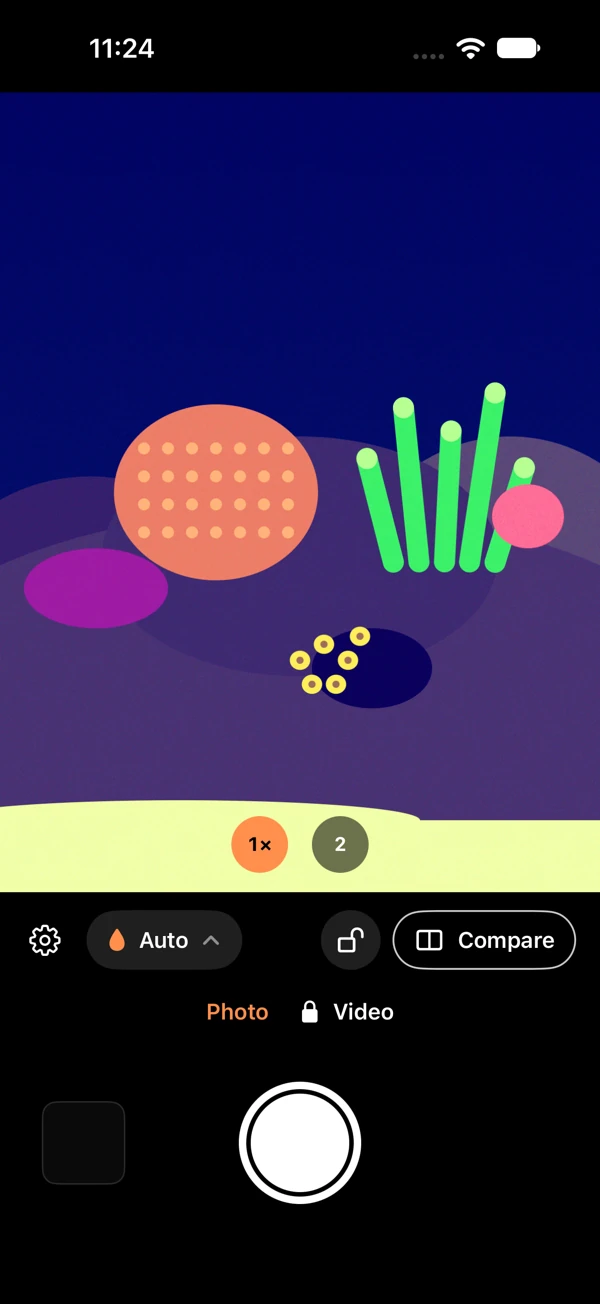
Start with a photo.
The prepared app keeps still-photo capture and imports free. Select images through Apple’s photo picker and save corrected copies.
ReefCam · Prepared build
A camera app for reef photos and silent video. Explore Auto cast reduction, neutral-reference Calibrated mode, and a separate creative Pop look in the prepared build.
Coming soon to the App StoreLive purchases and physical-device color and video validation remain pending.
A little more control at the tank
Reef lighting shapes the result. Auto and Pop remain scene dependent; Calibrated uses a neutral reference. Physical color accuracy is still unverified.
The prepared app keeps still-photo capture and imports free. Select images through Apple’s photo picker and save corrected copies.
Use Auto for cast reduction, Calibrated for a validated neutral reference on its original lens, and Pop for creative enhancement.
The prepared Video Unlock adds silent portrait recording, with a three-minute clip limit. Live purchase and device validation are pending.
Inside the prepared app
These are actual Simulator UI captures using generated reef content. Physical-device color and video evaluation is still pending.
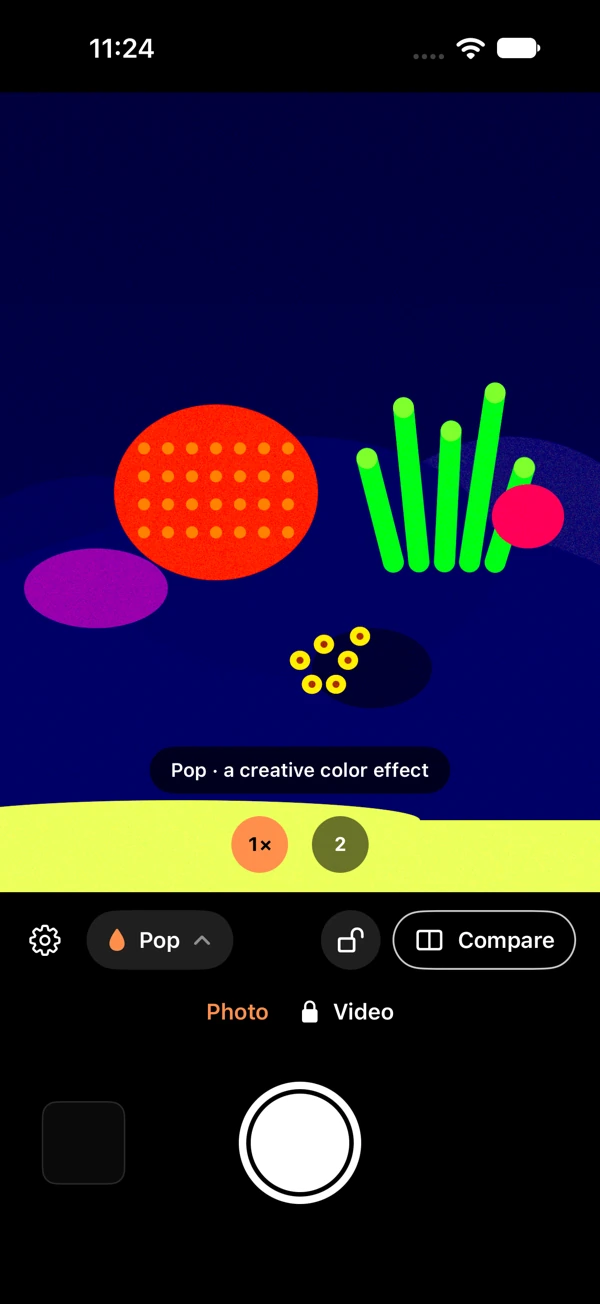
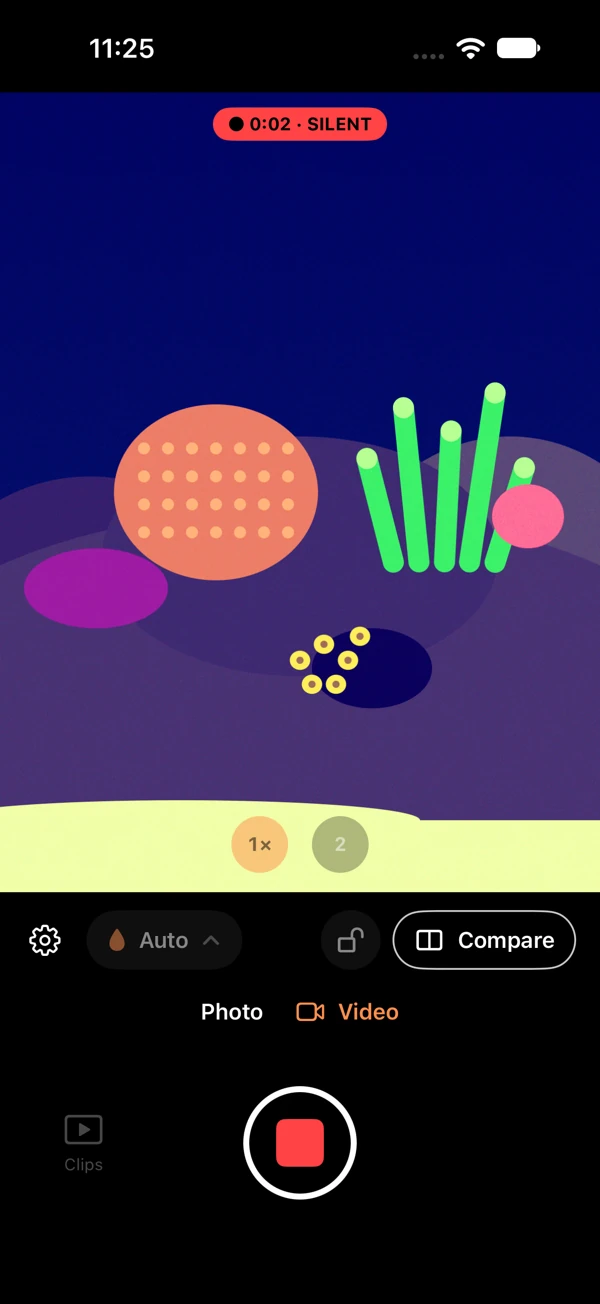
No real tank or personal photo was used in these screenshots. The recording screen comes from a local test build.
A simple planned upgrade
The planned release keeps photos and imports free, with silent video behind a one-time unlock.
Planned release pricing
Free photos and imports
One-time purchase. No subscription.
App Store release, live product availability, and signed sandbox verification remain pending. The app will show the final localized price before purchase becomes available.
Media processing stays on-device in the prepared app. The policy explains permissions, metadata, local recovery copies, Apple purchases, website visits, and support email.
Read the pre-release policy ↗ReefCam is coming soon. A prepared app build is under review, with live App Store purchases and physical-device color and video validation still pending. A verified download link will be added when the exact listing is live.
The prepared app keeps still-photo capture and selected-photo imports free. Video is the extra feature covered by the planned Video Unlock.
The planned U.S. price is $2.99 for a one-time purchase, with no subscription. The prepared build includes StoreKit purchase and restoration flows. Live product availability and signed sandbox verification remain pending; the app will show the final localized price before a purchase becomes available.
Auto aims to reduce a scene-dependent blue-light cast. Calibrated holds white balance from a validated neutral reference on the lens used for that reference; it is not a multi-patch color measurement. Pop is a separate creative enhancement. Results depend on lighting and capture conditions, and physical color accuracy remains unverified.
Check Saved locally for a retained original, corrected photo, or clip. Use Save to Photos to retry, or Share local copy to copy it to a destination you choose. Sharing can leave the app’s copy in place; remove it separately when ready. An interrupted partial movie may not be playable, so recovery is best-effort.
The screenshots show actual ReefCam Simulator UI with generated synthetic reef content. They illustrate controls and modes. Physical-device color and video evaluation remains pending.
A human on the other end
Questions about ReefCam or the prepared release?