
A little window. A lot of personality.
Great art.
Unexpected
company.
A masterpiece is waiting for its next character. Choose a painting, cut a window, and step into the picture with your iPhone camera.
Coming soon for iPhone · No account · One-time Studio Unlock
Fine-tune position & expression
Drag the window, or focus it and use arrow keys. This is an illustrated preview; your camera stays off. The iPhone app uses your live camera.
From still life to real life
Three steps.
One very new portrait.
ArtWindow puts a live camera view behind an opening in an image. The painting stays a painting. You bring the personality.
- 01
Find your character.
Start with one of seven museum portraits, or import your own image with Studio Unlock.
- 02
Make an entrance.
Cut an oval, rectangle, or freehand opening. Move it, resize it, and soften its edge. Your original stays intact.
- 03
Give it some life.
Place your face—or another subject—behind the artwork. Take a photo or record a video, then save or share your creation.
Inside the real iPhone app
Your pocket-sized
portrait studio.
Start with a painting. Come back to a saved project. Make another wonderfully unexpected appearance.
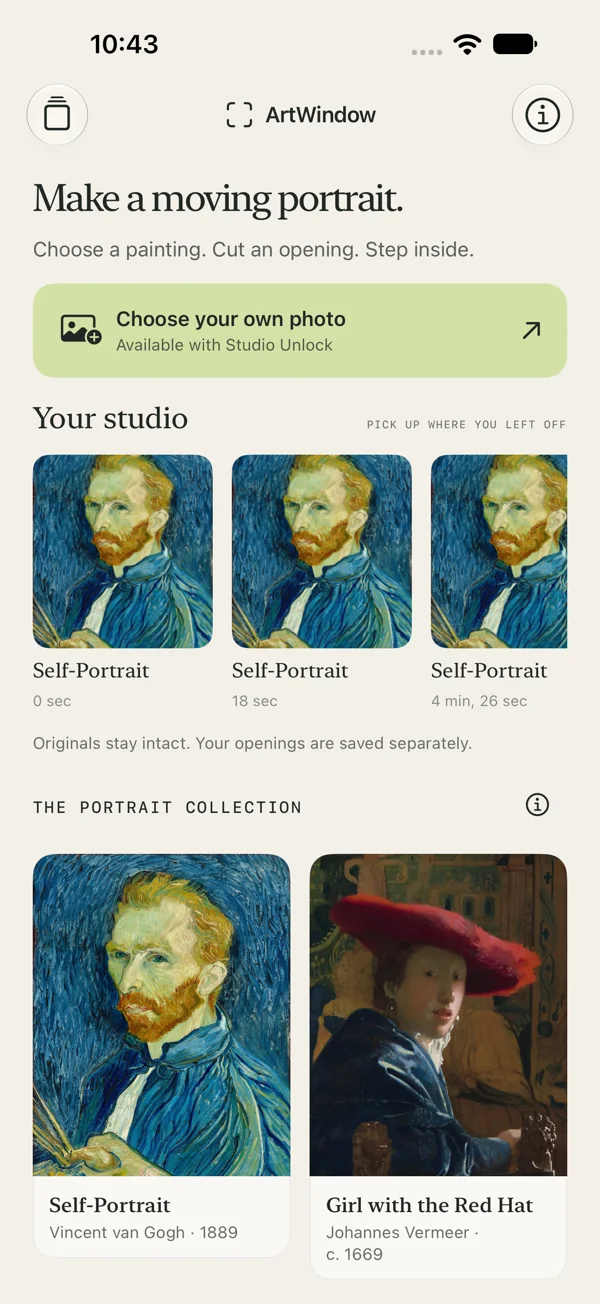
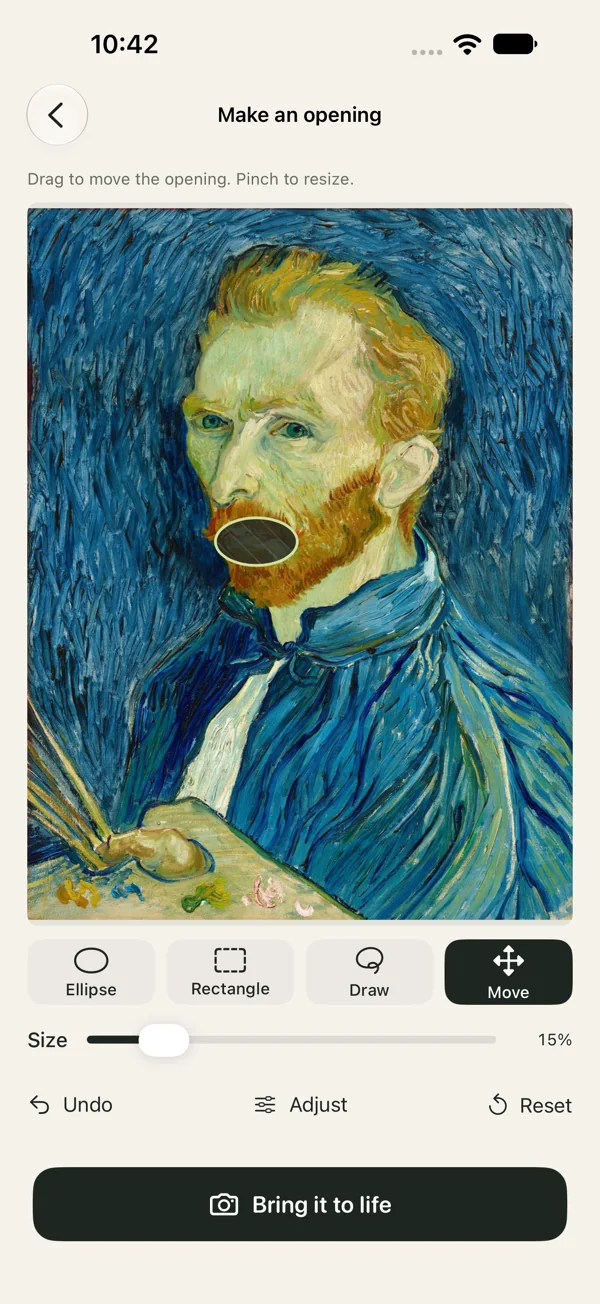
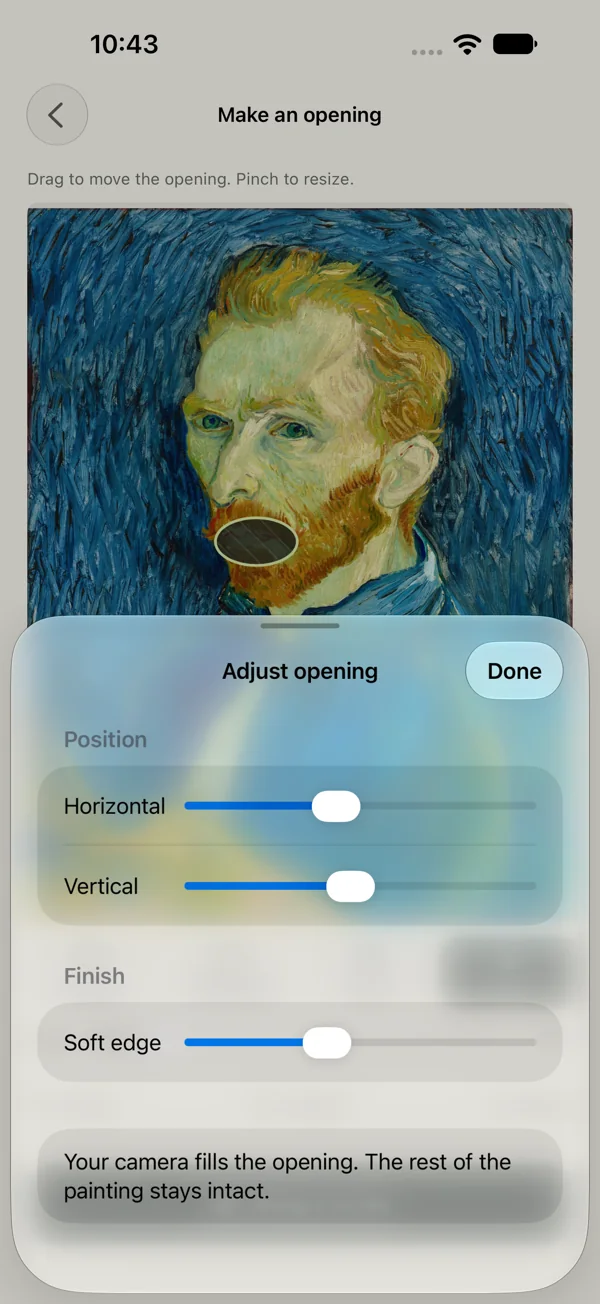
Actual ArtWindow 1.0 (build 4) screens. Camera capture happens in the app on your iPhone.
A small studio. Plenty of possibility.
Start with a smile.
The seven paintings, every cutout tool, and photo capture are free. Three completed video recordings are included on this device.
A one-time Studio Unlock adds your own photo imports and unlimited video recordings. No subscription. The planned U.S. price is $0.99; release and live purchase setup are pending. The app will show the final localized price before purchase.
Before your first appearance
Good questions.
Useful answers.
Is ArtWindow available yet?
The iPhone App Store release is coming soon. A verified download link will be added once the exact listing is live.
What is free?
The included paintings, still photo capture, and every opening tool, including freehand, are free. Three successful video recordings are included on this device. Failed or cancelled recordings do not use the allowance.
What does Studio Unlock add?
Your own photo imports and unlimited video recordings. It is a one-time purchase, with a planned U.S. price of $0.99. Release and live purchase setup are pending; the app will show the final localized price. No subscription.
Do my creations leave my iPhone?
ArtWindow processes selected images, camera frames, and optional audio on your device. You choose whether to save or share a result. Working projects and creations are excluded from device backup, so save or share anything you want to keep before changing phones.
Does this browser demo use my camera?
No. The browser playground is an illustration. It does not access your camera or microphone. The iPhone app provides real capture and export features.
More help with camera access, saving, or purchases: ArtWindow support.
The painting is ready. Are you?
Go on.
Make an appearance.
Coming soon to the App Store for iPhone.
Release pending. A verified download link will appear here when the listing is live.
Questions? Visit ArtWindow support ↗